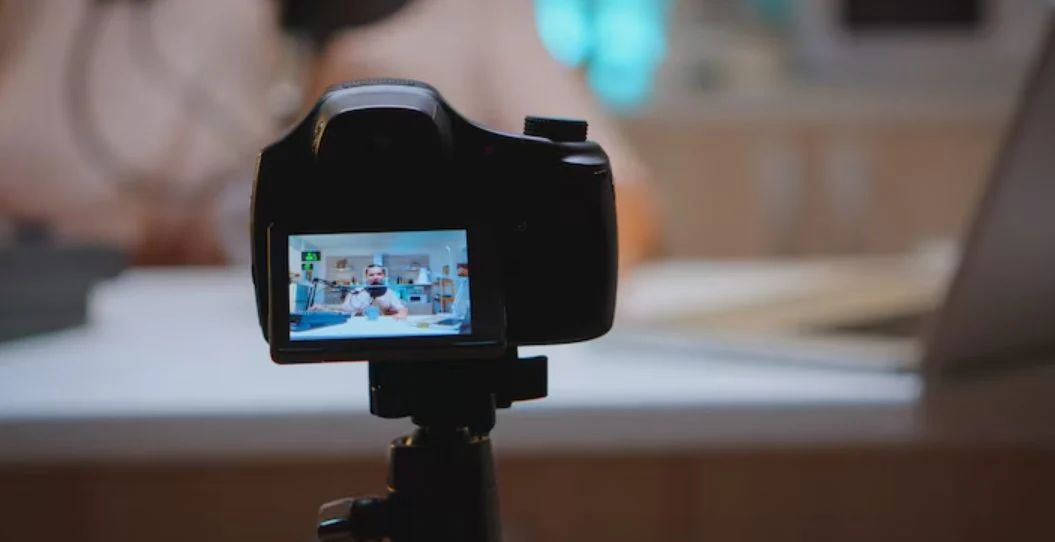
Live streaming has become one of the most popular ways to share content, connect with audiences, and build an online presence. From gaming sessions and product demonstrations to tutorials and live discussions, creators use streaming platforms to reach viewers in real time. As audiences become more familiar with high-quality broadcasts, expectations for clear video and professional presentation continue to increase. Having the right equipment can make a noticeable difference, especially when choosing a reliable streaming camera.
A good camera does more than capture video. It helps creators present themselves clearly, maintain a consistent visual quality,y and make their broadcasts more engaging. Products such as the Razer Kiyo line offer features designed to support streamers who want practical equipment without dealing with an overly complicated setup. Understanding the technology behind streaming cameras can help creators make better decisions and improve their overall broadcasting experience.
How Live Streaming Has Changed Content Creation
Online streaming has changed how people consume and share digital content. Platforms such as Twitch, YouTube,e and Facebook allow creators to broadcast directly to audiences without relying on traditional television or production companies. This has opened opportunities for gamers, educators, entertainers, business owners and independent content creators.
Live streaming also gives viewers the chance to interact with creators while a broadcast is happening. They can ask questions, leave comments and participate in discussions. This direct connection helps build communities and gives creators a better understanding of what their audiences enjoy.
However, successful streaming requires more than interesting content. Poor lighting, blurry video, and inconsistent camera performance can distract viewers. As a result, many creators are investing in equipment that helps them deliver a more comfortable and enjoyable viewing experience.
Important Features to Consider When Choosing a Streaming Camera
Video resolution is one of the first specifications buyers usually check. A camera with 1080p resolution can provide clear video for most streaming needs, while 4K models offer greater detail for creators who require higher-quality footage. However, resolution is not the only factor that determines how good a stream looks. Internet speed, computer performance, and streaming software settings also affect the final result.
Frame rate is equally important, particularly for content involving movement. A camera capable of recording at 60 frames per second can produce smoother footage than one limited to lower frame rates. This can be useful for gaming streams, demonstrations, and other activities where movements need to appear natural.
Autofocus is another feature that makes streaming more convenient. It helps keep the subject clear when moving closer to or farther away from the camera. Some models also include lighting features that help brighten the user’s face when the surrounding room is not well lit. These functions reduce the need for constant manual adjustments and allow creators to focus more on their content.
Why Lighting and Camera Position Matter
Even an advanced camera may produce disappointing results when used in poor lighting conditions. Dark rooms, strong backlighting, and uneven brightness can affect how a person appears on screen. Good lighting helps maintain natural skin tones, improves visibility,y and gives a broadcast a cleaner appearance.
Built-in lighting can be useful for creators who want a simple setup. However, external lighting can provide more flexibility when adjusting brightness and positioning. A small light placed near the camera can help illuminate the face without creating harsh shadows.
Camera placement also influences how viewers experience a stream. Positioning the camera around eye level usually creates a more natural appearance and makes direct interaction feel more personal. Creators should also consider the background, ensuring that it does not distract viewers from the main subject.
Making Streaming Equipment Easier to Use
Setting up a live broadcast can involve several devices and software applications. For beginners, complicated installation processes may become frustrating, especially when they are still learning how streaming platforms work. This is why plug-and-play connectivity is an important feature for many camera users.
USB streaming cameras are popular because they can usually connect directly to a compatible computer. Once connected, users can select the camera through their preferred broadcasting software. Before purchasing, it is still important to check operating system requirements, available USB ports, and compatibility with the intended streaming platform.
Software support can also improve the experience. Some cameras provide applications that allow users to adjust brightness, contrast, focus and other image settings. These controls make it easier to create a consistent appearance across different broadcasts without changing the physical setup every time.
Creating More Engaging Streams for Viewers
Good video quality helps attract attention, but audience engagement is what encourages people to return. Streamers need to communicate naturally, respond to comments, and keep their content interesting throughout a broadcast. A dependable camera supports these efforts by making facial expressions and reactions easier to see.
This is particularly important for creators who rely on personal interaction. Viewers often enjoy seeing the person behind the content rather than watching gameplay or presentations alone. Clear video can make conversations feel more direct and help establish a stronger connection between the creator and the audience.
Audio should receive the same attention as video. A high-quality camera cannot compensate for unclear speech or distracting background sounds. Using a separate microphone when necessary can improve voice clarity and create a more balanced viewing experience. When sound and video work well together, the entire broadcast feels more organised and professional.
New Developments in Streaming Camera Technology
Streaming cameras continue to improve as manufacturers introduce more intelligent features. Artificial intelligence is becoming increasingly useful in camera technology, particularly for automatic framing, subject tracking and lighting adjustments. These features can help keep creators in view even when they move during a broadcast.
Background effects are another development that gives streamers more control over their presentation. Depending on the camera and software, users may be able to blur their surroundings or replace the background without setting up a physical screen. These options are useful for people who stream from shared rooms or home offices.
Portable camera designs are also creating more opportunities for outdoor and location-based content. Lightweight equipment makes it easier to record events, travel experiences,s and live demonstrations away from a traditional desk setup. As connectivity and camera technology continue to improve, creators have more ways to experiment with different types of broadcasts.
Using Camera Settings to Build a Recognisable Brand
A consistent visual style can help a creator become more recognisable. Camera settings, lighting arrangements and background design all contribute to how a stream looks. Some creators prefer a simple presentation, while others use colourful lighting, custom overlays and visual effects to match their channel’s theme.
Personal branding does not require expensive equipment. Even small adjustments to camera positioning, brightness and background appearance can make a broadcast feel more organised. The important thing is to maintain a style that suits the content and makes viewers comfortable.
Creators should also avoid using too many effects at once. Excessive visual elements can distract from conversations or gameplay. A clean and consistent presentation often works better than a complicated setup that takes attention away from the main content.
Why Investing in a Reliable Streaming Camera Makes Sense
Choosing a streaming camera should be based on practical needs rather than the number of features advertised. Beginners may find that a dependable 1080p camera is enough for regular broadcasts, while experienced creators may benefit from higher resolution, improved autofocus, and more advanced image controls.
It is also worth considering long-term compatibility. A camera that works with existing software and computer equipment can save time and reduce unnecessary expenses. Reading product reviews and comparing real-world performance can help buyers understand whether a particular model offers good value.
As live streaming continues to grow, camera technology will play an increasingly important role in digital content creation. The right equipment helps creators produce clearer broadcasts, communicate with viewers and develop a consistent online identity. By combining suitable camera features with good lighting, clear audio and engaging content, streamers can build a setup that supports their goals and provides a better experience for their audience.